
Workouts
A workout is a reusable training plan: a list of exercises, each with its sets and targets. Build it once, then schedule it for as many clients as you like. Open Workouts in the left menu.
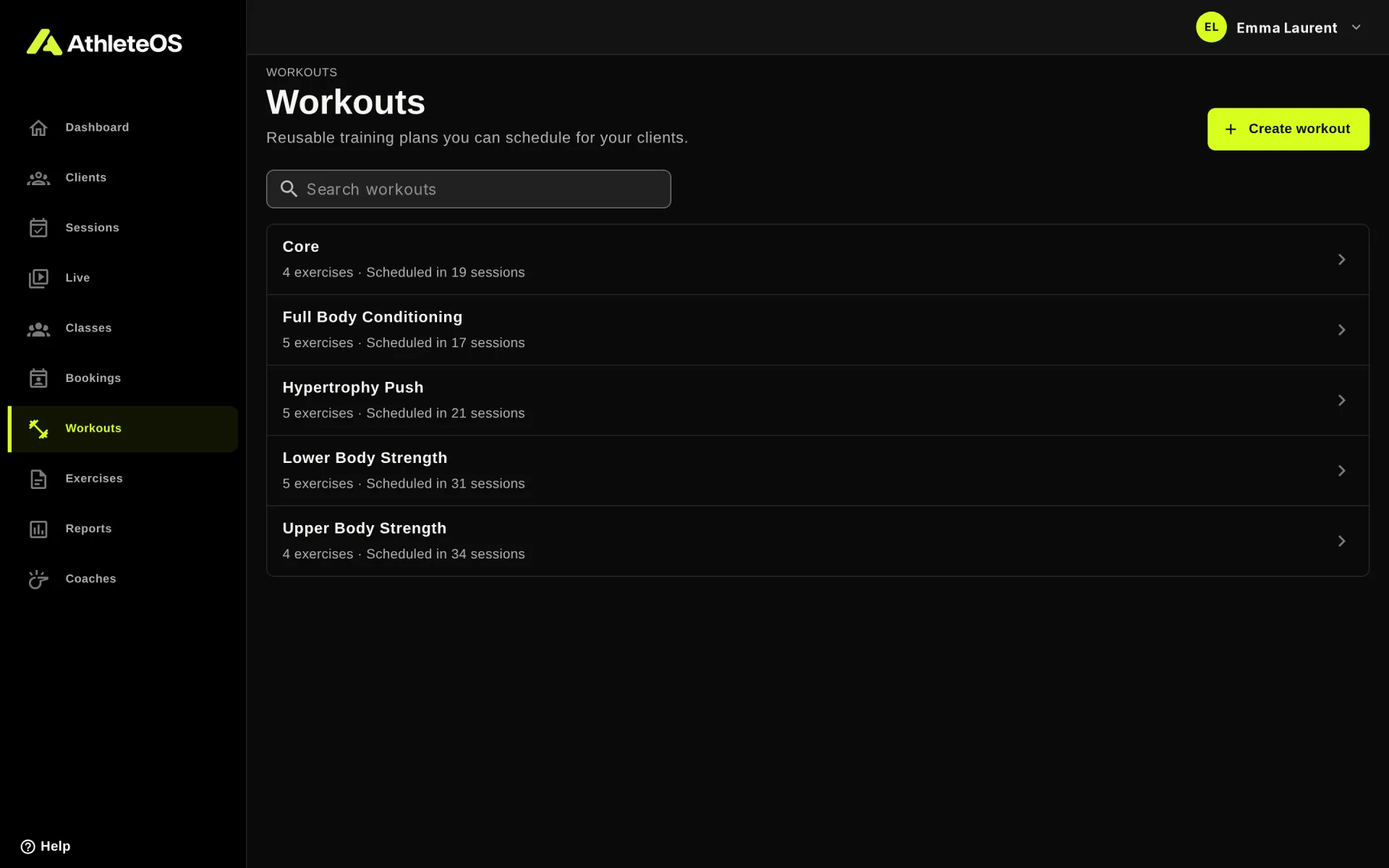
Each row shows how many exercises the workout has, and in how many sessions it's scheduled.
Create a workout
- Click Create workout.
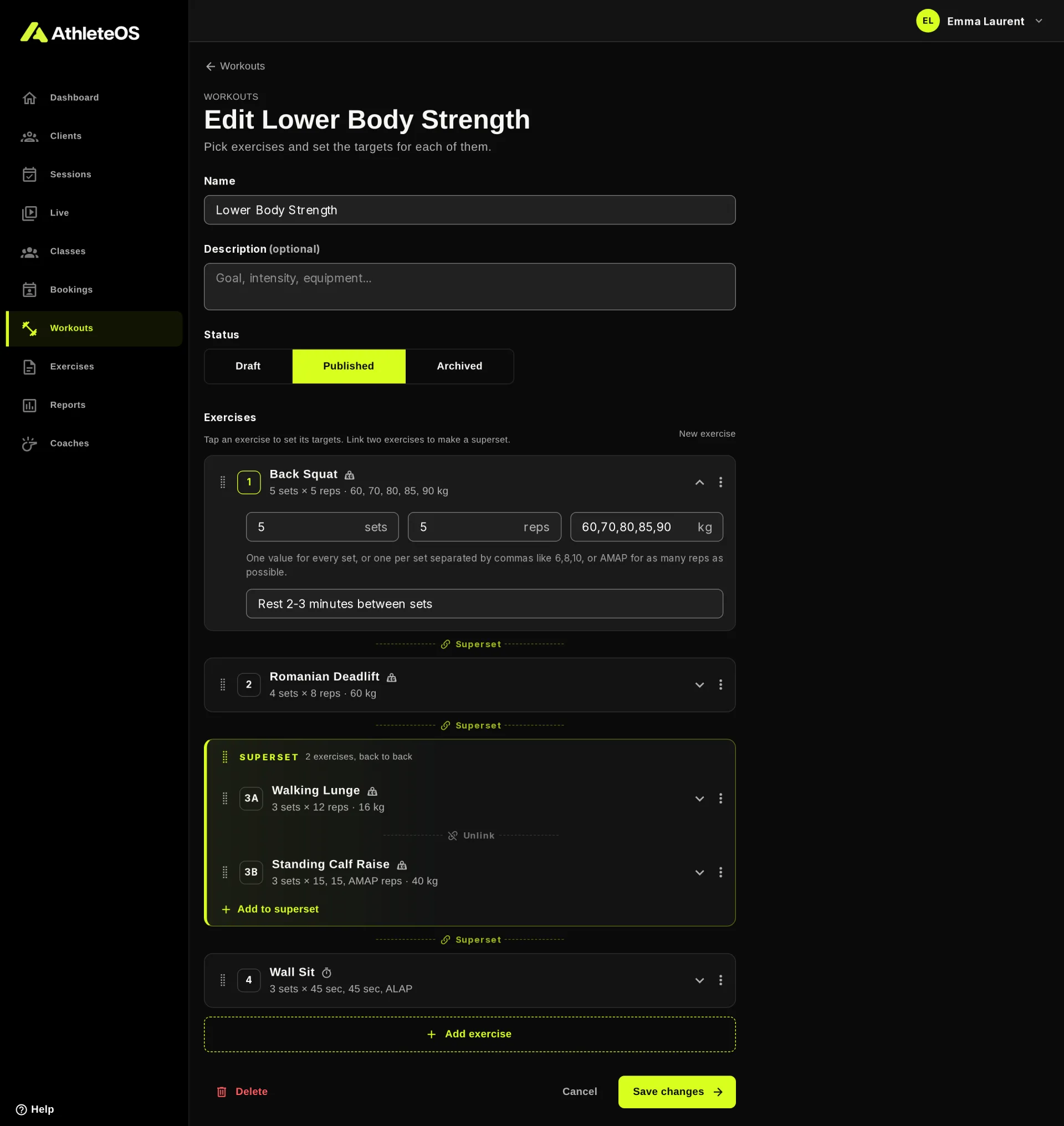
- Enter a Name, e.g. "Lower Body Strength", and a Description if you like.
- Click Add exercise, pick one or more exercises from your library, then click Add 3 exercises (the button counts them).
- Tap each exercise to set its targets (see below).
- Click Create workout.
Set the targets
Tap an exercise to open it. The fields depend on how the exercise is tracked:
- Sets: how many sets, 3 by default.
- Reps, kg, sec or m: the target of each set.
- Note: tempo, rest, cues… Clients see it with the exercise.
A target can be:
| You write | It means |
|---|---|
8 | 8 for every set |
8-12 | A range, 8 to 12 reps |
6,8,10 | One value per set: 6, then 8, then 10. Give exactly one value for each set. |
AMAP | As many reps as possible |
ALAP | Hold as long as possible (timed exercises) |
For example, a Back Squat with 5 sets, 5 reps and 60,70,80,85,90 kg climbs in weight from set to set.
The client sees these targets as suggestions in grey when they fill in their sets.
Supersets
A superset is two or more exercises done back to back, round after round: A1, B1, A2, B2…
- To make one, click Superset between two exercises.
- Add to superset adds another exercise to it.
- Unlink splits it again.
In a superset, the exercises are numbered with letters, like 3A and 3B.
Reorder and remove
- Drag an exercise by its handle to move it, also in or out of a superset.
- Or use the ⋮ menu of an exercise: Move up, Move down, Remove.
Draft, published and archived
- Published: the normal state.
- Draft: a label for workouts you're still working on. They can still be scheduled.
- Archived: no longer offered when you schedule a session. Sessions that already use it keep it.
Change a workout that is scheduled
Saving a workout updates every session that uses it, past and future.
WARNING
Sets already logged stay attached to the place of the exercise in the list. If you reorder or remove exercises of a workout clients already did, their past sessions may show those sets under another exercise. To change a workout deeply, create a new one, and archive the old one.
Delete a workout
You can only delete a workout that was never scheduled. Otherwise AthleteOS offers Archive instead, which keeps it out of new sessions.