
Reports
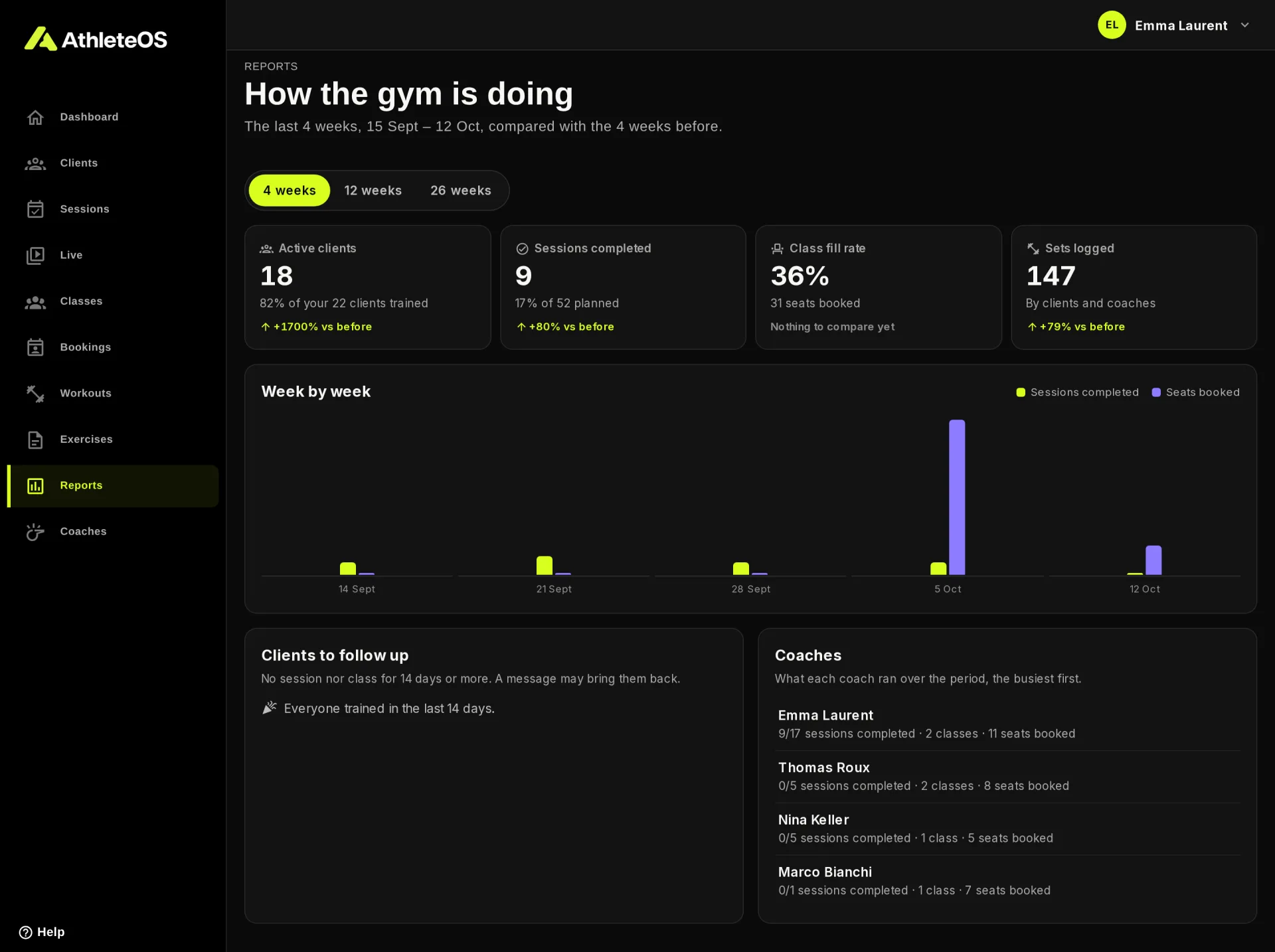
The reports show how the gym is doing: who trains, how full the classes are, which clients need a nudge and what each coach ran. They're for admins, on the Club plan and above. Open Reports in the left menu.
The period
Choose 4 weeks, 12 weeks or 26 weeks. The period ends today, and each number is compared with the same length of time just before, e.g. "+12% vs before".
The four numbers
| Number | What it counts |
|---|---|
| Active clients | Clients who completed a session or booked a class seat in the period, with the share of all your clients |
| Sessions completed | Sessions finished in the period, with the share of those planned |
| Class fill rate | Seats booked out of the seats offered, for classes with limited seats |
| Sets logged | Sets logged by clients and coaches in the sessions of the period |
Week by week
A chart of the Sessions completed and Seats booked each week, weeks starting on Monday.
Clients to follow up
Clients without a session or a class for 14 days or more, the quietest first, up to 8. A message may bring them back. Clients added in the last 14 days aren't listed. Click a client to open their profile.
Coaches
What each coach ran over the period, the busiest first: sessions completed out of their sessions, classes, and seats booked in their classes. Sessions without a coach aren't counted here.