
Client data and privacy
Clients can download everything the gym keeps about them, and close their account. Admins can download the data of a client, and delete a client for good. This page explains what happens, and when.
What AthleteOS keeps about a client
- Their profile: name, email, phone, address, birth date, gender, and whether they want reminders.
- The coach note and the status coaches gave them.
- Their sessions: date, time, place, coach, status, the note for them, each set they logged and their notes.
- The classes they booked.
Download the data of a client
Admins can download the data of any client, active or deactivated, as a JSON file, e.g. sarah-miller-2026-10-12.json:
- from the profile of the client: Download their data, under Account,
- or from the deactivated clients: ⋮, then Download their data.
Clients can download the same file themselves from their app. See Your account.
When a client closes their account
Clients can delete their account from their app, with their password.
- They're signed out at once, and coaches no longer see them.
- They receive an email, "Your account is closed", with the date everything will be deleted.
- 30 days later, everything about them is deleted for good: their details, sessions, sets, notes and class bookings.
In the meantime, admins see them in Clients › Deactivated, marked Asked to be deleted, with the date.
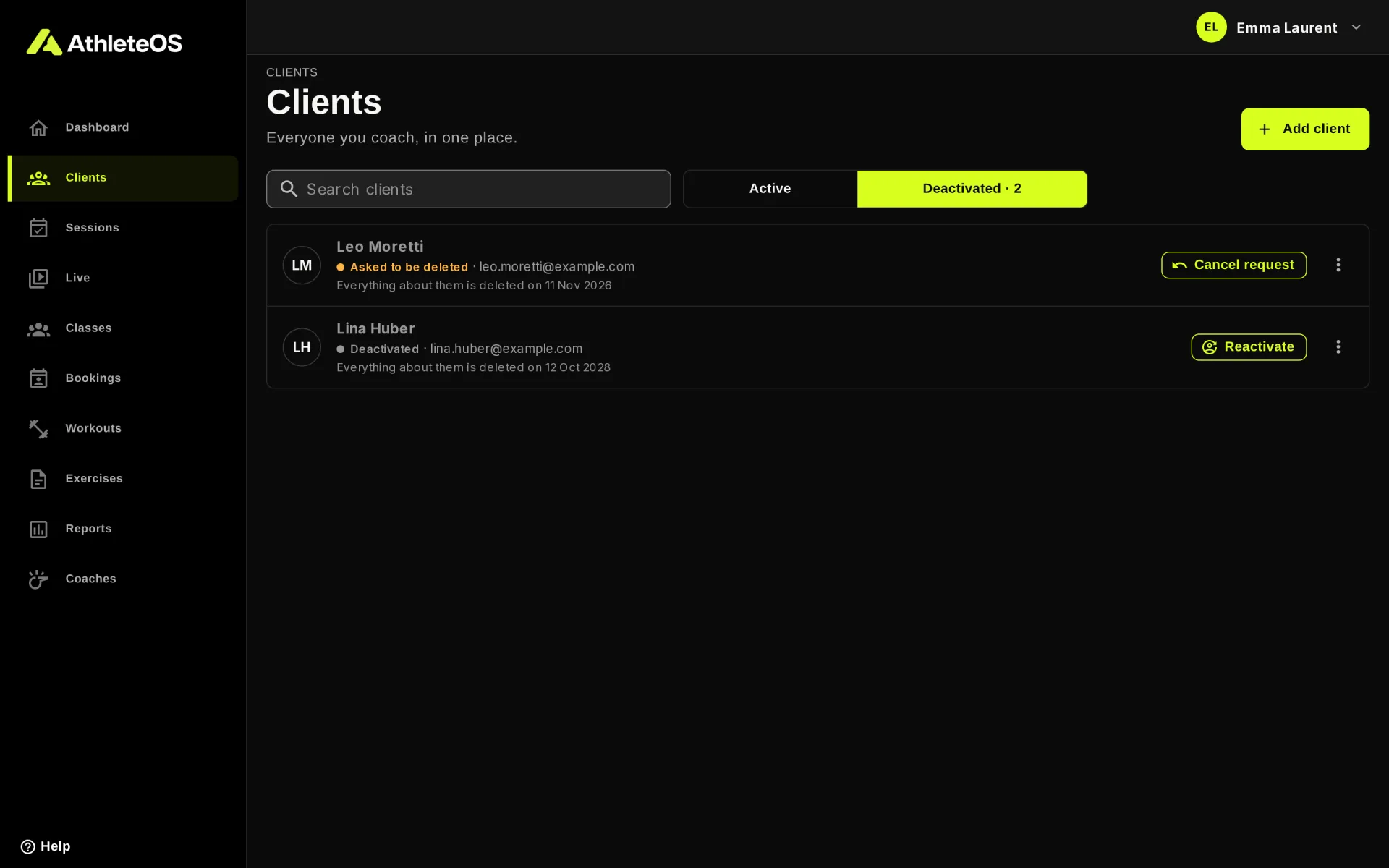
Changed their mind?
If the client contacts the gym within the 30 days, an admin clicks Cancel request on their row. The client stays deactivated: click Reactivate for them to sign in again.
Deactivated clients are deleted after 24 months
A client a coach deactivated is deleted for good after 24 months without being reactivated, with all their data. The list of deactivated clients shows the date.
The deletions run every night.
Delete a client now
Admins can delete a deactivated client for good without waiting:
- Open Clients, then Deactivated.
- On their row, click ⋮, then Delete permanently.
- Type the name of the client exactly as it is, and click Delete permanently.
Their details, sessions, sets, notes and class bookings are deleted for good. It can't be undone. An active client must be deactivated first.
TIP
Download their data before deleting them if they asked for a copy.
Personal data in the app
- Clients only ever see their own data.
- On a gym tablet, the email of the client isn't shown.