
Booking sessions and classes
Depending on your gym, you can book a session with a coach, and seats in group classes, from the app. If you don't see Book a session or Classes, your gym doesn't offer it: ask your coach.
Book a session
- Tap Book a session in the bar at the bottom.
- If your gym has several places, choose one under Where.
- Under When, pick a day. Days with free slots have a dot. Tap the month to open a calendar.
- Tap Book on a slot.
- Check the day, the time, the coach and the place. Choose whether you want an email reminder 24 hours before.
- Tap Book.
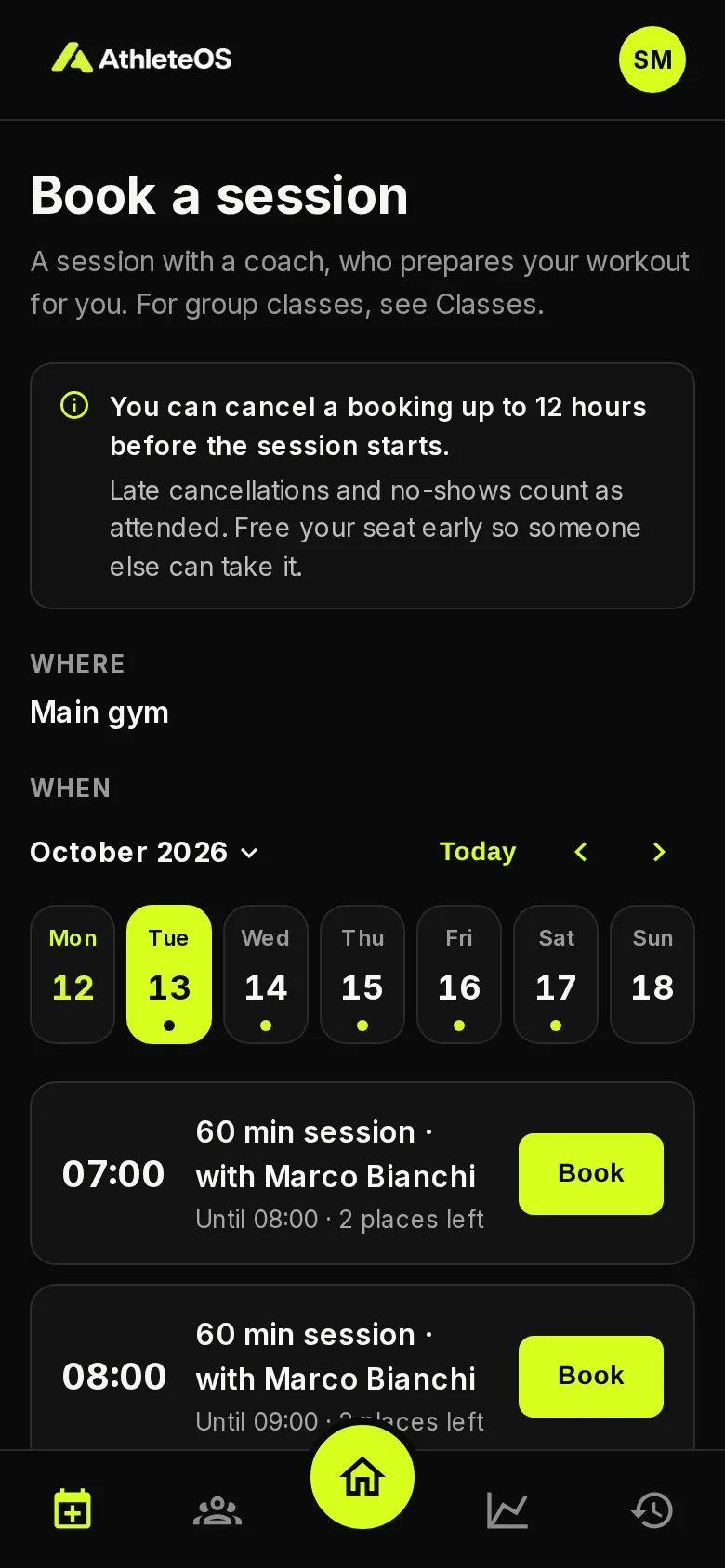
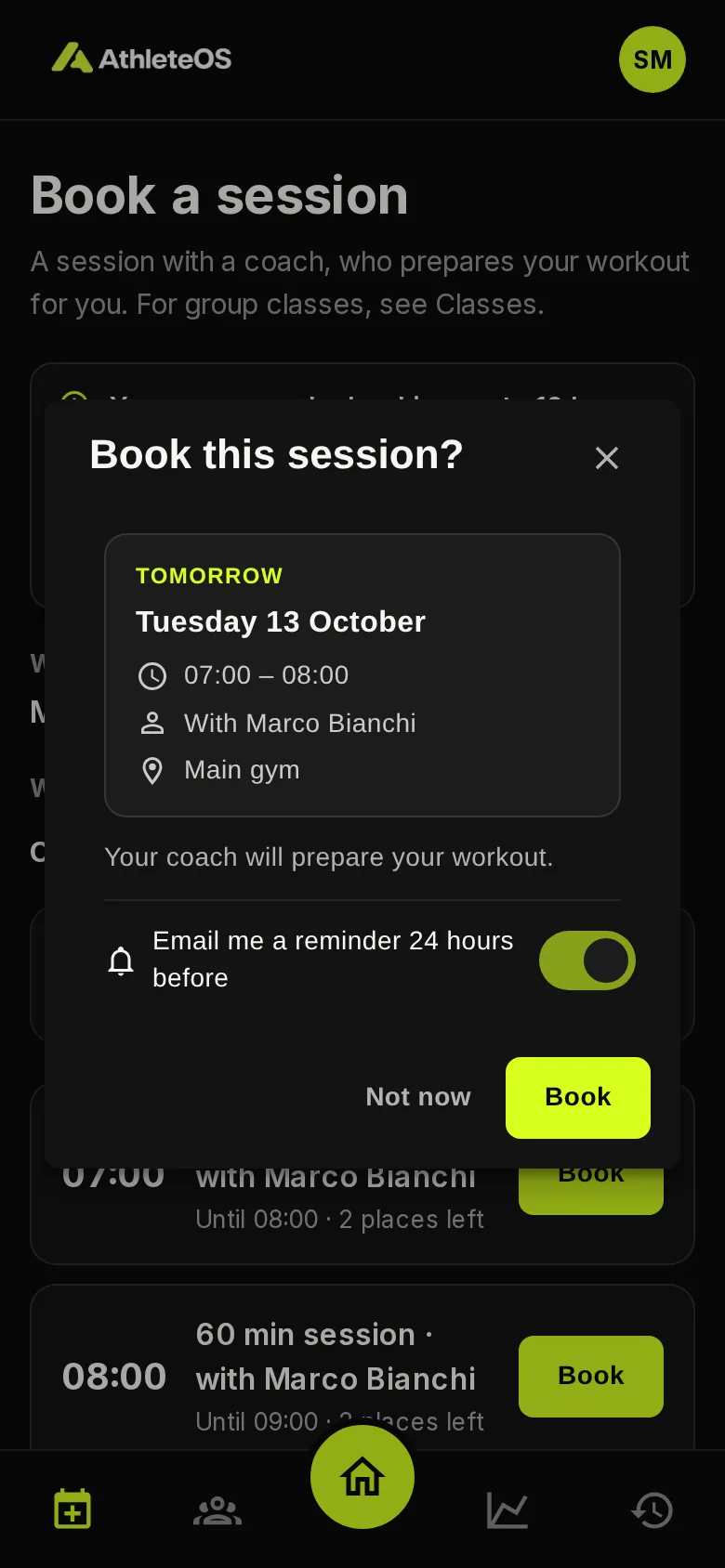
Your session appears on your home. Your coach then prepares your workout: until then, the session says Your coach is preparing the workout.
Your gym sets how far ahead you can book, e.g. up to 14 days, and how early, e.g. at least 12 hours before.
Book a class
- Tap Classes in the bar at the bottom.
- Find the class. Each one shows its time, its coach, its place and the seats left.
- Tap Book.
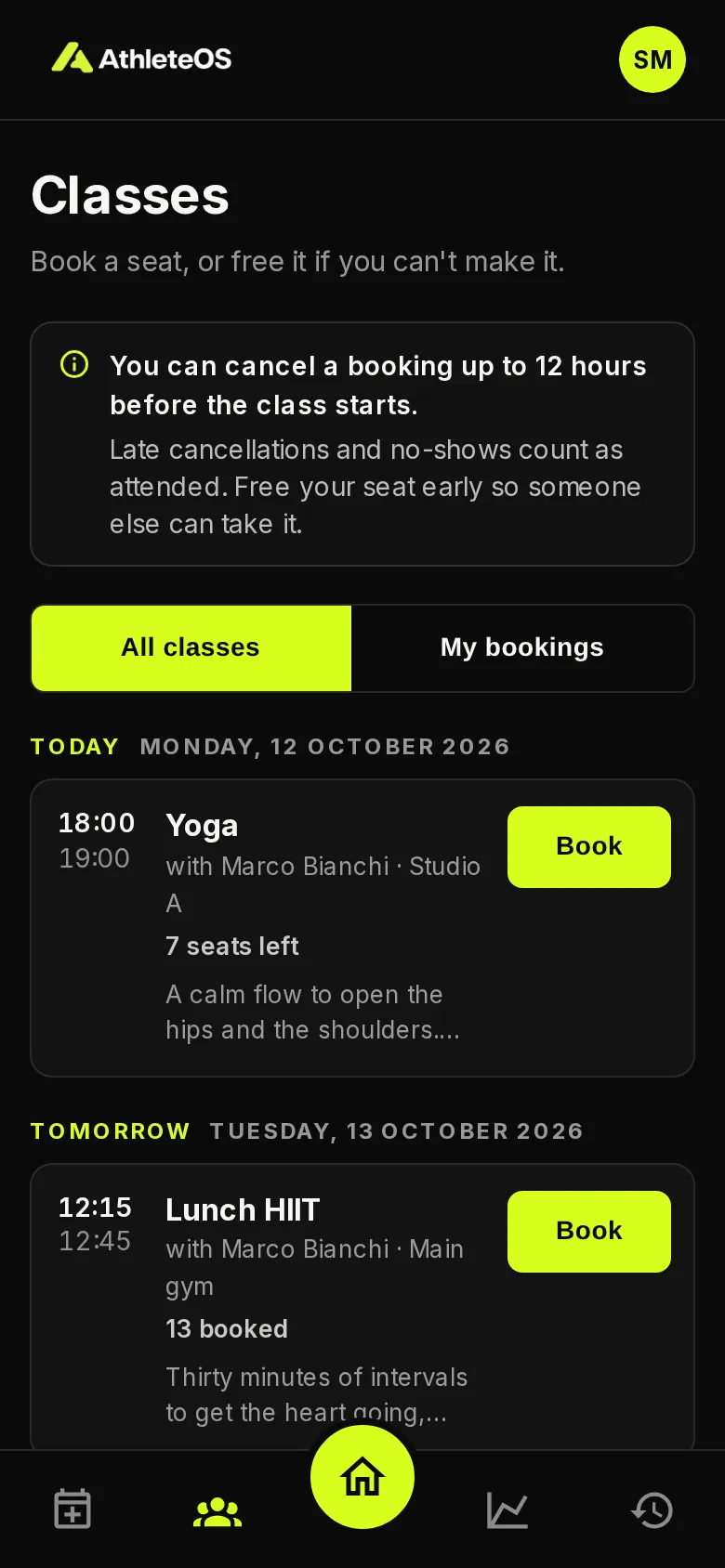
A class with no seat left shows Full. If a class starts soon, after the cancellation deadline, the app asks you to confirm: once booked, you won't be able to cancel it yourself.
My bookings shows only the classes you booked. You also find it in your account menu.
Cancel a booking
Read the notice at the top of the page: it says until when you can cancel, e.g. "You can cancel a booking up to 12 hours before the class starts."
- A class: tap Cancel on the class, then Cancel booking. Under the button, you see until when you can cancel.
- A session: open it from your home, then tap Cancel my booking. Your place goes to someone else.
After the deadline, you can no longer cancel yourself: contact your coach.
You can only cancel the sessions you booked. A session your coach planned for you is for your coach to change.
Reminders
You can get an email 24 hours before a session or a class.
- When you book a session, choose it in the confirmation. The app remembers your choice for the next time.
- On a booked class or an upcoming session, tap Reminder 24 h before or No reminder to switch.
Sessions and classes your coach adds for you start without a reminder. Turn it on if you want one.